Rent that arrives, posts and reconciles itself.
Autopay, late fees by your rules, payment plans when a resident needs one, and a ledger entry for every dollar. You decide the exceptions.
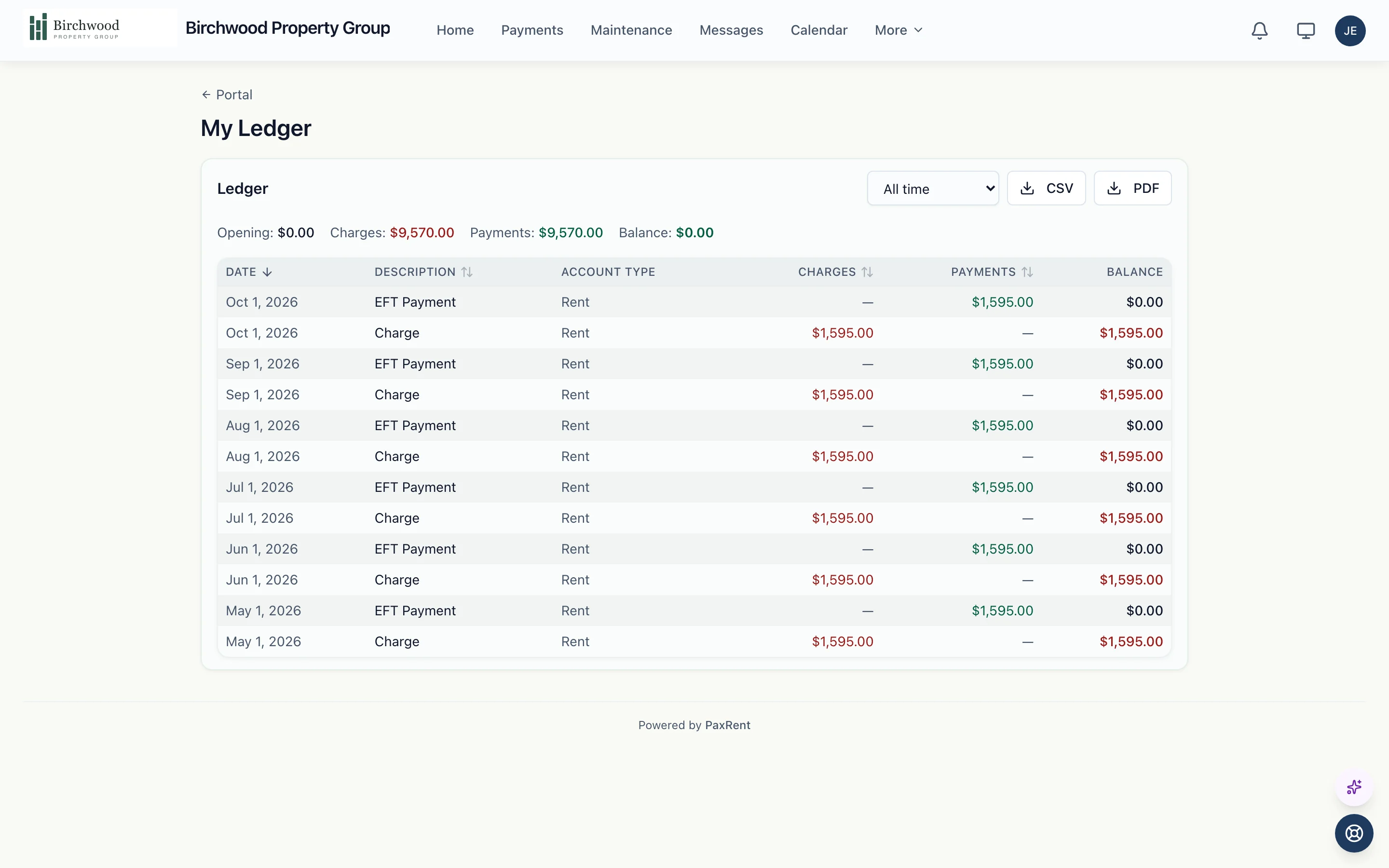
PaxRent chases the routine. You decide the exceptions.
The posting, chasing and matching
- Posts each month's rent and recurring charges to every active lease
- Adds the late fee after your grace period, only when rent is still unpaid
- Drafts the formal demand when a lease stays late
- Matches the deposits on your bank feed to the payments inside them
- Flags the leases most likely to pay late next month
The exceptions
- Approve each formal demand before it is served
- Offer a payment plan, or review the one a resident set up
- Limit a lease to certain payment methods after repeated returns
- Void a charge that was posted in error
How a month runs
Charges post
Rent and recurring charges post to every active lease on your billing day, each with its journal entry.
Residents pay
From the tenant portal by bank transfer or card, once or on autopay. Your staff record checks and cash.
Payments reach the ledger
Each payment posts to the lease and the general ledger. An overpayment is held as a credit for the next charge.
Late rent gets a fee and a demand
After your grace period the late fee posts by your rules, and the formal demand waits in your inbox for approval.
Deposits reconcile
Deposits on your bank feed are matched to the payments they contain; you review the ones that do not match.
Owners see the money
Collected rent flows into each owner statement, with your management fee calculated.
What is included
Collect
Every way residents pay.
- Bank transfer and card payments from the tenant portal
- Autopay enrollment
- Checks, money orders, cashier's checks and cash recorded by staff
- Per-lease limits on how a resident may pay
Follow up
Late rent is handled the same way every time.
- Late fees, flat or a percentage, after a grace period you set
- Payment plans with equal or custom installments
- Formal demands and the steps after them, each approved by you
- A weekly late-rent risk score for every lease
Account
The books keep up on their own.
- A journal entry for every charge and payment
- Overpayments held as tenant credit
- Payment history and a ledger for every resident
- A bank feed with deposit matching
Questions about rent collection
How do residents pay?
From the tenant portal by bank transfer or card, once or on autopay. Your staff record checks, money orders and cash, and you can limit a lease to certain payment methods.
Does PaxRent send late notices on its own?
The late fee and the late-rent reminder follow the rules you set and go out after your grace period. The formal demand, the notice with legal weight, waits for your approval before it is served.
Can a resident set up a payment plan?
Yes. A resident can set one up from the portal, or you can create one with equal or custom installments. While the plan is on track it holds the formal demand, and you choose whether late fees pause.
What happens when a resident pays too much?
The extra is held as a credit on the lease and applied to the next charge.
Does it reconcile with my bank?
Yes. Connect your bank account and PaxRent matches each deposit to the payments it contains. You review the deposits it cannot match.
See rent collection run on your portfolio.
Get started, and your next rent run posts, collects and reconciles in PaxRent.