Owners who log in instead of calling.
A dashboard each owner arranges themselves, a statement that opens with a plain-English summary of the month, a say on any expense above the limit you set, and every report in one place. Your agent writes the summary. You approve it before the owner sees it.
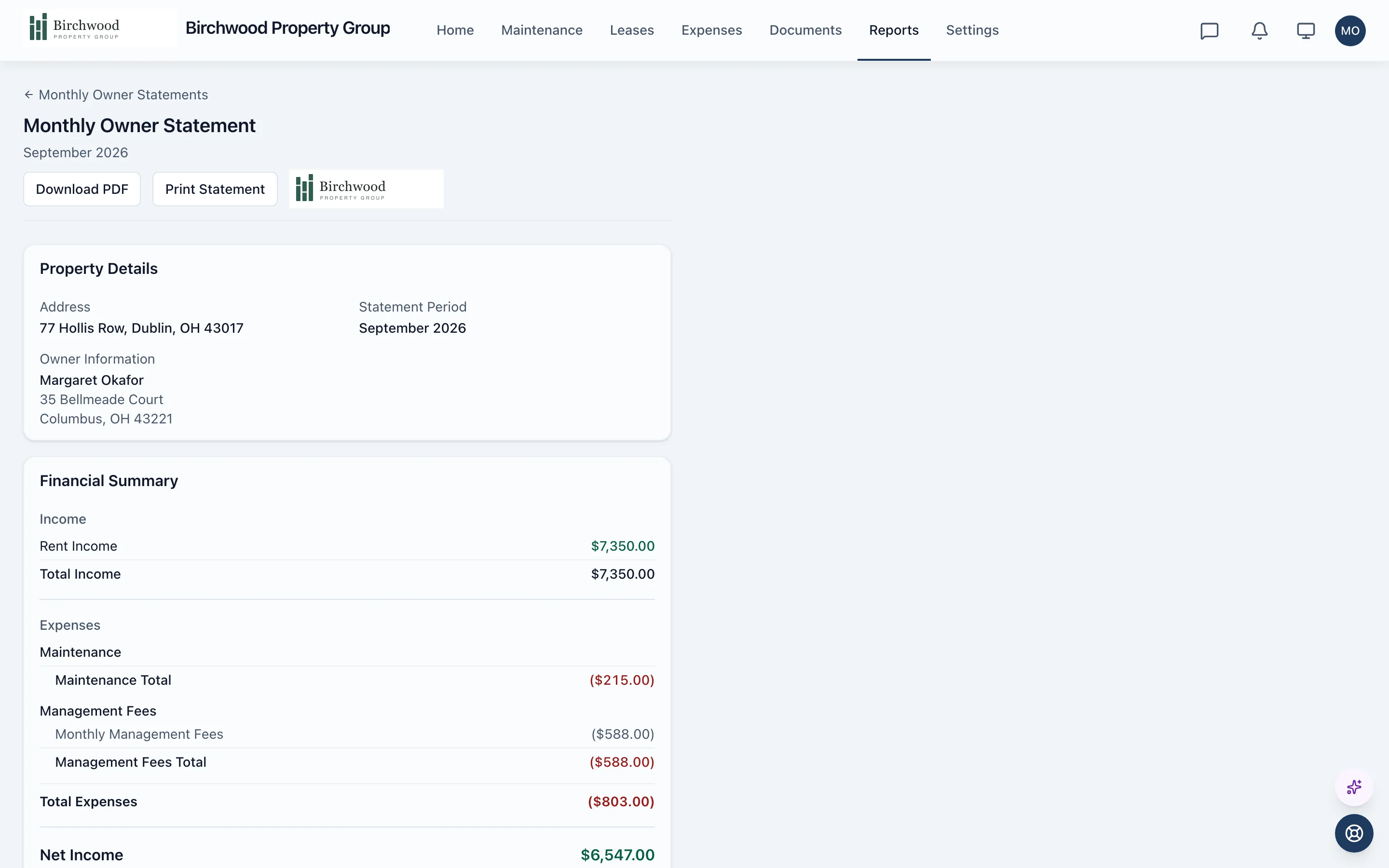
The agent writes the month up. You decide what owners see.
The summary
- Reads each property's numbers for the month
- Writes a plain-English summary of income, expenses and what changed, in a formal or conversational tone
- Attaches it to the owner statement
What owners see and decide
- You approve each summary before the owner sees it
- Owners approve or reject any maintenance expense above the not-to-exceed amount you set
- You decide whether owners see the insurance compliance report
A month with an owner
Rent comes in, work gets done
Payments, maintenance costs and bills post to the books as they happen, so the owner's numbers are current.
The statement is generated
Income, expenses and your management fee are laid out per property, and the totals match the owner reports.
You approve the summary
The agent's plain-English summary waits for your approval before it is shown.
The owner reads it
The statement, its PDF and the supporting reports are in the portal. No call needed.
What is included
Dashboard
Each owner arranges their own view.
- Drag-and-drop widgets saved per owner
- Rent collected, occupancy, available balance and profit and loss
- Maintenance and lease activity at a glance, on the web or in the mobile app
- Every owner entity in one view for owners with several LLCs
Money
Statements, bills and what was paid out.
- Monthly owner statements with PDF download
- An owner ledger with a running balance and CSV export
- Vendor bills tied to the owner's properties, unpaid and paid
- Owner draw history, with a statement for each payout
Reports
The questions owners ask, already answered.
- Rent roll, income and expense, and outstanding balances
- Vacancy report with days vacant
- Owner contributions, with card and bank payment
- Insurance compliance, when you turn it on
Say and see
Involved without being in the way.
- Expense approvals above the amount you set
- Every maintenance job with its status, vendor and cost
- Lease details without tenant contact information
- Messages with your office, and year-end tax forms in the documents hub
Questions about owner portal
Do owners see the AI summary right away?
No. The agent drafts the summary and you approve it first. Owners only see approved summaries on their statements.
Can owners see my tenants' contact details?
No. Owners see a tenant's name on the lease so they can identify the unit. Emails, phone numbers and emergency contacts stay with you.
How does an owner approve an expense?
When a maintenance expense goes above the not-to-exceed amount you set, it lands in the owner's approvals list. They approve or reject it, and nothing else is asked of them.
Can one owner with several companies use one login?
Yes. An owner linked to several entities sees them together by default and can filter to one. Statements stay one per entity.
Can I see what an owner sees?
Yes. You can view the portal as an owner. That view is read-only by default, and changing anything on an owner's behalf needs a recorded reason and consent, and is logged.
Let owners answer their own questions.
Get started, and send your first owner their portal invitation.