Every conversation on the record it belongs to.
Email, text and calls from one place, each saved to the tenant, owner, vendor or lease it concerns. Your agent queues the routine reminders, and each one waits in your Approval Inbox until you send it.
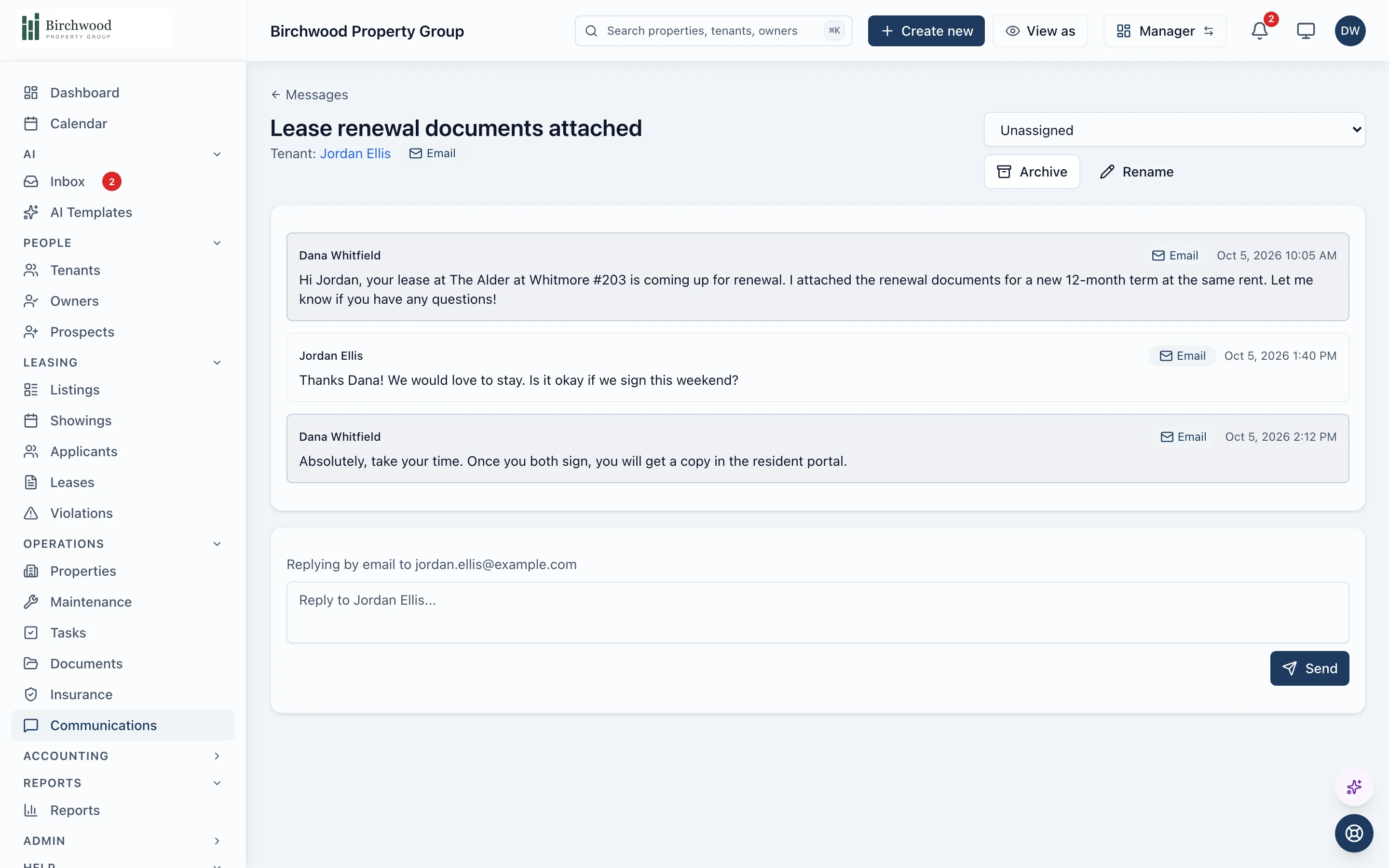
The agent queues the reminders. You send them.
The watching and the drafting
- Watches every lease for rent past the grace period
- Queues the next step for each one, a reminder or the formal demand, with the amount owed
- Puts them in your Approval Inbox, beside everything else waiting on a decision
What goes out
- Approve or skip each reminder before it is sent
- Approve each formal demand before it is served
- Switch on automatic demand notices yourself, if you want them
- Write and send every announcement and message yourself
How a message travels
It starts from a record
Open a tenant, owner, vendor or lease and write from there, or let a rule queue the message.
You pick the channel
Email from your own sending domain, a text from a number tied to you, or a call from the browser.
It is saved to the thread
Every message, reply and automated text lands on the same timeline, labelled by who sent it.
Replies find their way back
Email and text replies come back onto the thread, and the thread shows when it needs an answer.
What is included
From your domain, in the reader's language.
- Send from your own domain with DKIM and SPF set up
- Templates with merge fields for names, units and balances
- Emails go out in the recipient's language, English or Spanish
- Subjects that name the property, unit or amount
Text and calls
A number for each person on your team.
- A phone number for each staff member, including maintenance technicians
- Two-way texts saved to the conversation
- Calling from the browser on any contact's page
- Emergency maintenance calls that work down your on-call list
The inbox
Threads, not a pile of messages.
- A threaded Messages inbox with search and archiving
- Threads you can assign, with read state for each person
- A needs-reply view, so nothing waits unnoticed
- A Communication Hub on every lease, sending to each tenant on it
Announcements and alerts
Reach the right people at once.
- Announcements to a property, an owner or a filtered list
- Merge fields that make a bulk message read personally
- In-app notifications with a bell and a preference for each type
- A record of what each message said and who it went to
Questions about communications
Will PaxRent text or email my tenants without my say-so?
Not for late rent. The agent queues the reminder or demand in your Approval Inbox and you approve it. Rules you switch on yourself, such as automatic demand notices, run as you set them. Receipts and confirmations go out on their own, as tenants expect.
Can my maintenance technicians text tenants from their own number?
Yes. Admins, managers and maintenance technicians can each be given a phone number, and their messages are saved on the same thread as everyone else's.
Where do I find what I told a tenant last month?
On the tenant's record or the lease's Communication Hub, in order, with every email, text and call that was saved to it.
Does texting work right away?
Carriers require businesses to register before texting tenants, and PaxRent does that registration for your organization. The settings page tells you plainly whether texting is live. Email and calling do not wait on it.
Can tenants choose how they are contacted?
Yes. Residents set which notifications they want and by which channel, and text messages are sent only after they opt in.
Stop searching your inbox for what you told a tenant.
Get started, and every message lands on the right record.