Vendors who show up, and the paperwork that follows them.
Every vendor on your roster is scored for the job in front of you. Your agent recommends one and you approve the dispatch. Vendors accept the work, send estimates and invoices from their own portal, and the invoice arrives at your books as a bill to review.
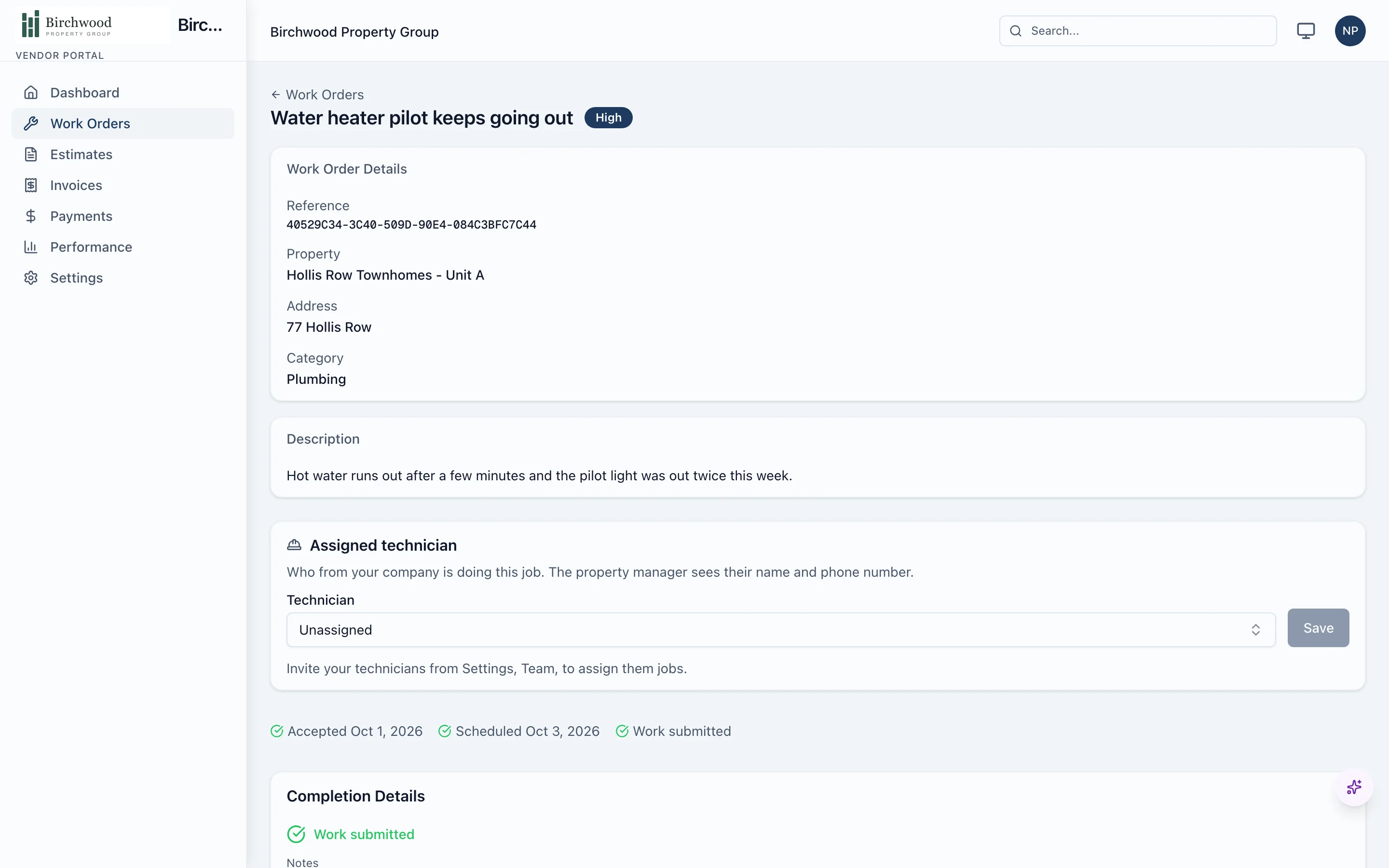
The agent ranks and reads. You choose and approve.
The sorting and the reading
- Recommends a vendor for each request, from a fit score with the reasons shown
- Reads vendor estimates and lays the line items side by side
- Reads each vendor invoice and matches it to the work order
- Proposes a vendor and a scope for each make-ready repair after a move-out inspection
The choices and the money
- Approve or change the vendor before anything is sent
- Pick which estimate to accept
- Approve each bill before it posts to the books
- Pay the vendor from your own bank and record it against the bill
How a job moves with a vendor
A vendor is recommended
Ranked by past performance, availability, distance, rate, response time, open jobs and compliance.
You approve the dispatch
The vendor is notified and works from an emailed link or their portal.
They accept and schedule
Accept or decline, confirm availability and see the appointment you set.
They do the work
Check in and out on site, upload photos and notes, and send the invoice.
The invoice becomes a bill
Read by the agent, posted for your review and approved by you.
Their score updates
The tenant's satisfaction rating and the vendor's response times feed the next ranking.
What is included
Your roster
A directory that ranks itself.
- Categories, rates, service areas and notes for every vendor
- A fit score out of 100 with a breakdown by factor
- Performance, response time and satisfaction ratings over six months
- Several technicians per vendor company, visible to you read-only
Dispatch
Control stays with you.
- Estimate requests to several vendors, compared side by side
- Dispatch rules by category, which you turn on
- An optional gate that holds back vendors with missing or expired documents
- Work orders split by trade for jobs that need more than one
The vendor portal
Their own place to work.
- Sign in with an emailed link, no password
- Accept or decline jobs, send estimates and invoices
- Site visit check-in and check-out, and a map of open jobs
- Calendar sync with Google Calendar and Outlook
Compliance and tax
The documents you would otherwise chase.
- Insurance, license and W-9 documents with expiry reminders
- A compliance badge on every vendor
- Payments you record, with year-to-date earnings visible to the vendor
- 1099-NEC forms at year end from the stored tax ID
Questions about vendor management
Will the agent dispatch a vendor without asking me?
Not unless you set rules for it. Out of the box the agent recommends a vendor and you approve the dispatch. Dispatch rules by category are an opt-in setting.
Do my vendors need to sign up?
No. A vendor can work from the emailed link for each job. A vendor who signs in to the portal sees all their jobs, estimates, invoices and recorded payments in one place, and can work for several property managers from one login.
Does PaxRent pay my vendors?
No. The vendor's invoice arrives as a bill for your review. You approve it, pay it from your own bank by check or bank transfer and record the payment, and the vendor sees it in their portal.
How does the fit score work?
Each vendor that lists the job's category gets a score out of 100 from past performance, availability, distance, hourly rate against the median, response time, open jobs and compliance. A factor with no data counts as average and says so, and you can see the breakdown for each vendor.
Can I stop vendors with expired insurance from being dispatched?
Yes. Turn on the compliance gate and choose the documents that are required. A vendor missing one, or holding an expired one, is blocked from dispatch. Admins can override with a recorded reason.
Put your vendors on one roster.
Get started, and the next maintenance request arrives with a vendor recommended.